Why OCR Fails in Real World Accounts Payable Automation
January 20, 2026 By Yodaplus
Many finance teams believe OCR is enough to automate accounts payable. It works in demos and controlled environments. But in real world AP environments, OCR often fails.
Invoices come in different formats. Suppliers change layouts. Scans are poor. Emails contain attachments with mixed content. This is why OCR alone struggles in accounts payable automation.
This blog explains why OCR fails in real world AP environments and how intelligent document processing fits better into procure to pay automation, manufacturing automation, and retail automation.
What OCR does well and where it breaks
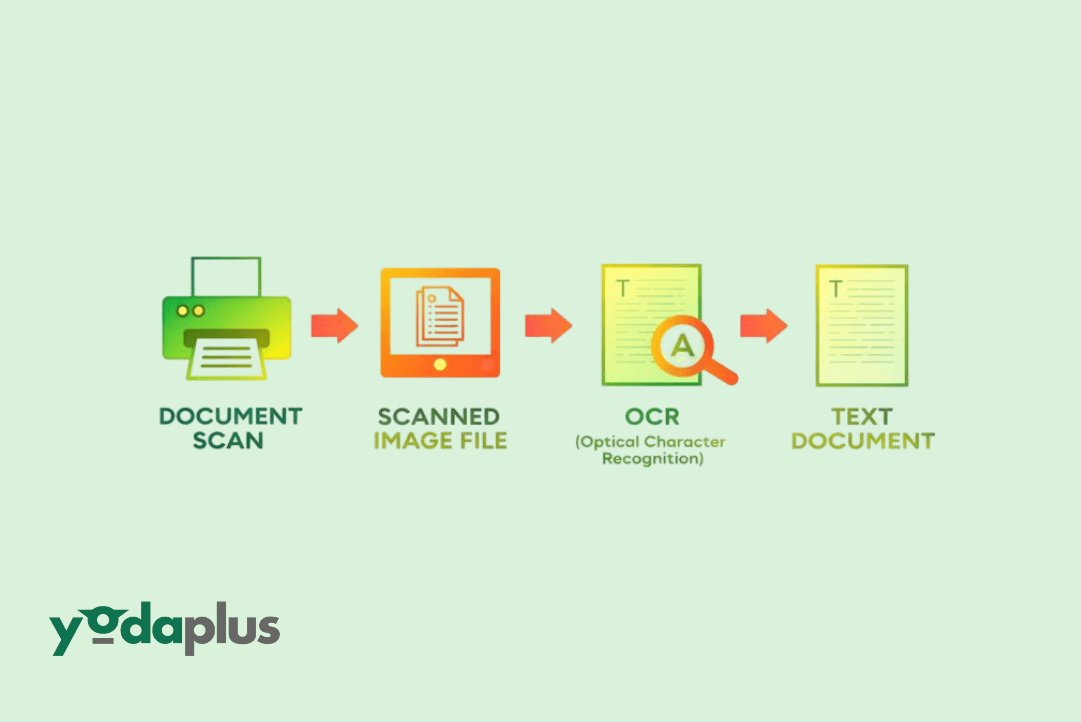
OCR for invoices is designed to read text from images or PDFs. It converts scanned documents into machine readable text. That is its strength.
The problem starts after text extraction. OCR does not understand context. It cannot reliably tell the difference between an invoice number and a delivery note number. It cannot validate totals or match line items to purchase order automation records.
In accounts payable automation, accuracy matters more than raw text extraction. This is where OCR starts to fail.
Invoice format variation in real AP environments
In real world procure to pay workflows, invoices are never standardized. Suppliers use their own templates. Some send PDFs. Others send scanned images. Some embed invoices inside emails.
OCR struggles when layouts change frequently. A field that appears at the top one month may move to the bottom the next. This breaks invoice processing automation and slows procure to pay process automation.
Manufacturing automation faces this problem at scale because supplier networks are large and diverse.
Poor scan quality and document noise
Many invoices are scanned using mobile phones or old scanners. They include shadows, skewed text, stamps, handwritten notes, and watermarks.
OCR accuracy drops sharply with poor scan quality. This leads to incorrect data extraction automation and forces AP teams to manually correct errors.
In retail automation, high invoice volumes make manual correction costly and slow, affecting order to cash automation timelines.
OCR cannot handle business logic
OCR extracts text but does not understand business rules. It cannot perform invoice matching against GRN records or purchase order creation data.
For example, OCR may read a total correctly but cannot decide if it matches the purchase order automation rules. It cannot flag partial deliveries or tolerance thresholds.
This limitation creates gaps in accounts payable automation and procurement process automation.
Exception handling breaks OCR driven workflows
Real world AP workflows are full of exceptions. Missing purchase order numbers. Quantity mismatches. Price changes. Tax differences.
OCR based systems often fail when exceptions appear. They stop the workflow and push the invoice back to humans.
Agentic AI workflows solve this by deciding the next step instead of stopping the process. OCR alone cannot do this.
Impact on invoice matching and approvals
Invoice matching software depends on accurate and structured data. OCR outputs unstructured text that still needs heavy validation.
This causes failures in automated invoice matching software and invoice matching processes. Approval cycles slow down. Errors increase.
As a result, order to cash process automation and sales forecasting accuracy suffer due to delayed liability visibility.
Why intelligent document processing works better
Intelligent document processing goes beyond OCR. It combines OCR for invoices with data extraction automation, classification, and validation.
It understands invoice structure. It identifies fields based on context. It validates data against purchase order automation and GRN records.
This makes it suitable for accounts payable automation software used in manufacturing automation and retail automation AI environments.
Role of agentic AI workflows in fixing OCR gaps
Agentic AI workflows handle uncertainty better than rule based OCR systems. When data is missing or unclear, the workflow adapts.
It may request human input only when required. It may route invoices differently based on risk or value. It may continue processing instead of stopping.
This approach supports procure to pay automation and procurement automation without constant manual intervention.
How OCR failures affect forecasting and cash flow
When OCR fails, invoices get stuck. Payments delay. Finance teams lose real time visibility.
This impacts sales forecasting and AI sales forecasting because liabilities are not recorded accurately. Order to cash automation decisions become reactive instead of planned.
Reliable intelligent document processing restores confidence in financial data.
FAQs
Is OCR still useful in AP workflows?
Yes. OCR for invoices is useful as a first step. But it should be part of intelligent document processing, not used alone.
Why does OCR accuracy drop in real environments?
Because of format variation, poor scan quality, and lack of business context.
Can OCR handle three way matching?
No. Invoice matching requires structured data and validation logic that OCR alone cannot provide.
Does intelligent document processing replace OCR?
No. It builds on OCR and adds understanding, validation, and decision making.
Conclusion
OCR fails in real world accounts payable automation because AP workflows are complex, variable, and exception driven. Intelligent document processing addresses these challenges by combining OCR with context, validation, and agentic AI workflows.
For organizations modernizing procure to pay automation, manufacturing automation, and retail automation, Yodaplus Automation Services helps design intelligent document processing solutions that work reliably in real business environments.